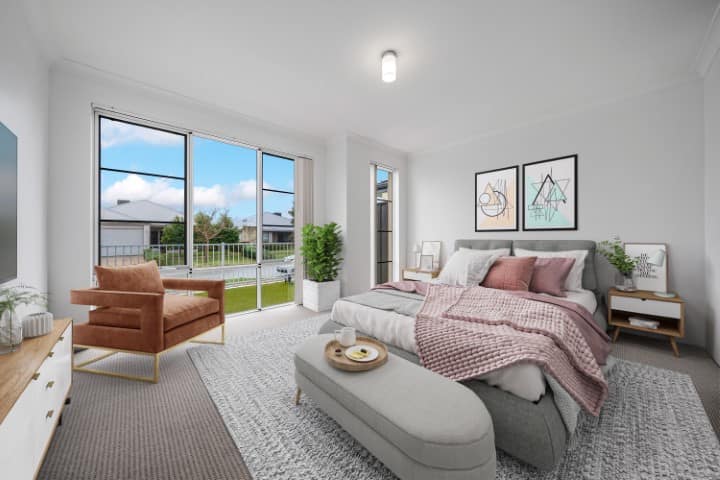
Big Picture 360 Insights · Field Notes — how to photograph a vacant GTA listing so empty rooms still read as a home online.
Vacant GTA listings do not fail because the photographer “couldn’t find furniture.” They fail because empty rooms photograph cold, small, and unfinished — even when the renovation is the reason the home is priced where it is.
After photographing more than 1,000 residential properties across Toronto, Mississauga, Oakville, Vaughan, Markham, and the GTA, the vacant-condo and vacant-freehold pattern is consistent: buyers cannot judge scale, they cannot tell whether a den is usable, and they swipe. Photography still has to be excellent. Empty is not a style. It is a missing explanation.
Quick Summary
- Shoot vacant homes as if scale is the product: complete coverage, true connections, and a floor plan
- Do not launch an empty gallery “so buyers can imagine it”
- Virtual Staging is usually the MLS path when physical staging is not in the budget
- Disclose staged frames; keep unfurnished originals
About this article: These are photo-day observations from vacant GTA listings — not a recap of our Virtual Staging vs physical staging cost comparison. That piece covers furniture vs pixels. This one covers what to capture before anyone stages anything.
What vacant rooms actually look like on a phone
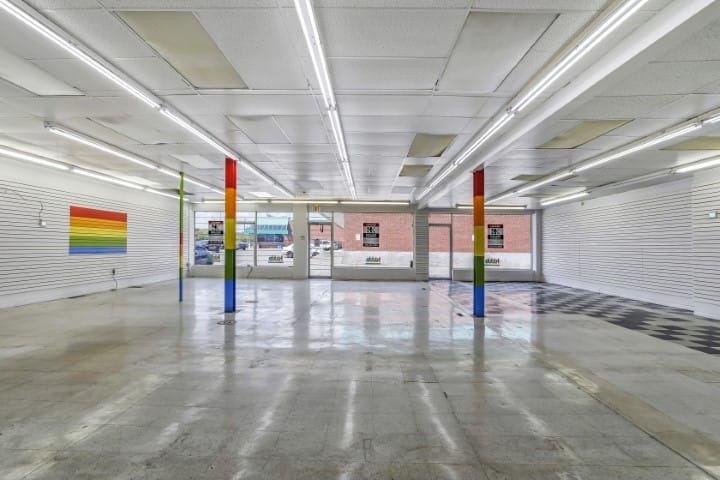
In person, an empty living room still has volume. Online, it is a white box with baseboards. Wide-angle listing photography makes that worse if you only shoot “the pretty corner” and skip the connections that tell buyers how the home works.
Why it matters: vacant listings often get fewer inquiries, not more negotiating power. Buyers fill gaps with suspicion: Is it small? Is the den a joke? Why is nobody living here?
What we recommend: treat vacancy as a layout problem first, a furniture problem second. Book enough Real Estate Photography to show every sellable room, hallways, storage, and how rooms meet. Then decide staging. See what listing media to book by property type.
Photo-day rules that change on vacant homes
| Lived-in home | Vacant home | What we change |
|---|---|---|
| Declutter is the fight | Scale is the fight | More transition frames; less “hero clutter cleanup” |
| Furniture already proves room purpose | Empty rooms have no job | Shoot dual reads of flex rooms; plan Virtual Staging angles |
| Sellers still in the way | Access is usually easier | Confirm lockbox, hydro, and that paint/floors are actually finished |
| Twilight is a polish extra | Empty interiors make exteriors do more work | A strong exterior and, when useful, twilight still matter |
The expensive vacant mistake we still see: booking photography while the painter is “almost done,” the vinyl is half down, or construction lighting is still in the ceiling. Vacant is not the same as camera-ready.
What to capture that staging cannot invent later
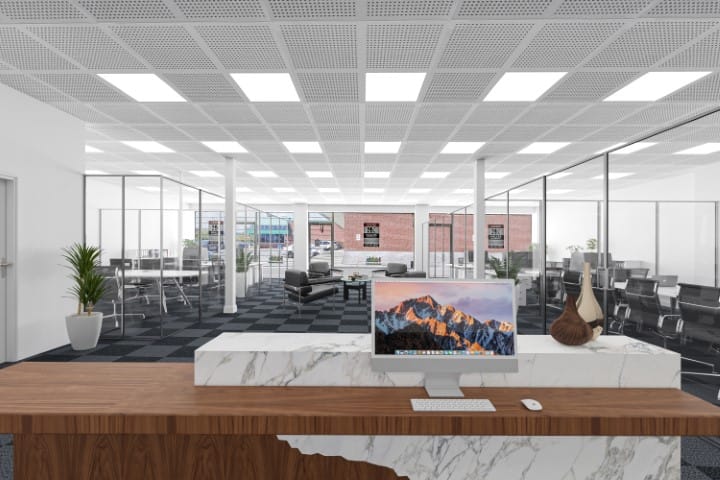
Listing Photo Finish and Virtual Staging can furnish a frame. They cannot invent a room you never photographed, a closet you skipped, or window light that was never there.
On vacant shoots we protect:
- Every sellable room, including laundry, storage, and parking when it is part of the value
- Kitchen-to-living and hallway connections so the plan is readable
- True ceiling height and window walls — these are the vacant home’s remaining “furniture”
- Exterior context; empty interiors make the first MLS photo work harder
What can be fixed later: furniture, some object removal, twilight conversion, sky work.
What cannot: coverage you skipped, a mid-reno interior, or a dark cave with blinds closed “because nobody lives here.”
When a floor plan or iGUIDE matters more than another sofa
Vacant condos especially: buyers already know the building. They need this unit’s plan. A color-coded Floor Plan or iGUIDE answers size questions that Virtual Staging only hints at.
Residential starting points (up to 1,000 sf, before HST): Essential Listing from $199 includes a PLUS Floor Plan; Color-Coded + Interactive Floor Plan from $349; iGUIDE Edition from $399. Full grid: 2026 GTA photography cost guide.
Virtual Staging on photo day vs after launch
If the rooms will stay empty for showings, plan staging angles while we are on site — one clean wide frame per room you intend to furnish. Residential Virtual Staging on a photography order is $15 per photo. Listing Photo Finish vacant-room staging starts at $14.95 per photo if the gallery already exists.
Disclose. Keep originals. Do not digitally rebuild architecture. Details live in the 2026 Virtual Staging vs physical staging guide.
What surprised us most
The vacant listings that still perform are rarely the ones that waited for a full furniture truck. They are the ones that were actually finished, fully photographed, and then staged in the frames that sell layout — living, dining, primary bedroom, and the flex room buyers will misread.
Frequently asked questions
Should I photograph a vacant GTA condo before Virtual Staging?
Yes. Staging needs a real, bright, wide capture. Book Real Estate Photography first, then stage the rooms that lack scale. Do not skip the unfurnished originals for MLS.
Do vacant homes need more photos or fewer?
They need complete coverage, not a thin “highlight reel.” Empty rooms leave more unanswered questions, so missing laundry, storage, or hallway connections hurts more than it does in a furnished home.
Is it better to wait for physical staging?
If the budget and timeline allow, physical staging still wins for in-person showings. If the listing must go live this week, photograph vacant and virtually stage. Hybrid is common: stage the main floor physically, virtually stage extra bedrooms.
Can you stage photos I already have?
Often, if composition and light are solid. Use Listing Photo Finish. If the shoot was dark, incomplete, or done mid-reno, reshoot.
About Big Picture 360 Insights
Big Picture 360 Insights shares field observations from GTA listing media projects. This piece is the vacant-home photography workflow — capture, coverage, and when to add Floor Plans or Virtual Staging.
Next step: Order listing photography, add Virtual Staging, or walk the home with the Pre-Shoot Checklist (PDF) before we arrive.